- 1800 72 27 28
- info@smartappbs.com.au
- Suite 20, 27 Hunter Street, Parramatta NSW Australia
ISO 27001 Certified
To boost production efficiency and ensure that consumers receive exact promises, use Microsoft Dynamics 365 Business Central’s BOMs, scheduling of master production, agile manufacturing, demand forecasting, and planning of capacity. Microsoft Dynamics 365 Business Central for Manufacturing provides complete manufacturing capabilities that enable you to manage your operations throughout the production, vendor management, inventory control, and sales cycles. To automate your manufacturing processes, you can utilize basic manufacturing, agile manufacturing, supply planning, and capacity planning.

The all-in-one feature of Dynamics 365 Business Central is particularly interesting when it comes to manufacturing business because this integration enables your operations like customer support and accounting to be coordinated with other functions. You’ll have a complete view of your work if you take an integrated and consistent strategy for management.
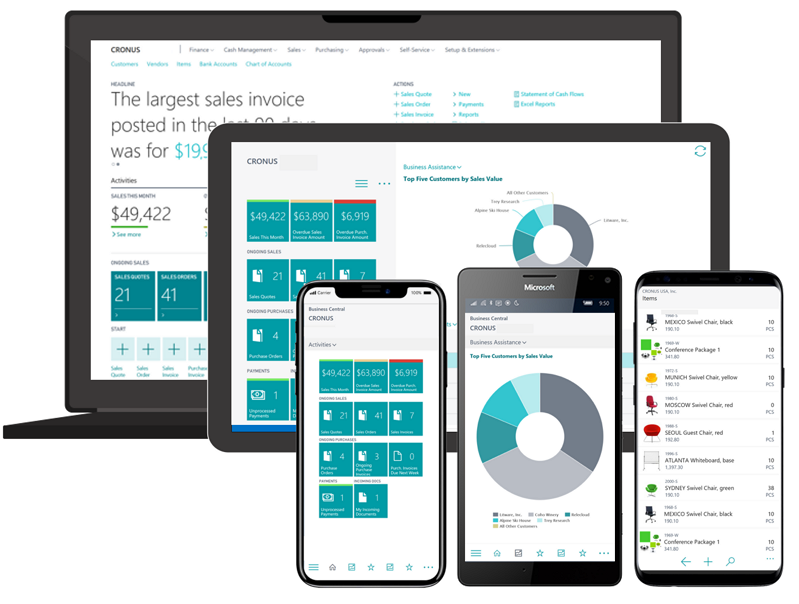
The purpose of this tool is to give users the most up-to-date information possible at their fingertips. It is simple for a company to organize all its modules in one place and obtain an accurate analysis by providing an environment where every module’s data can be accessed from anywhere.
So, Dynamics Business Central is such a great software because not only does it provide you with a complete overview of all your activities and data, but its manufacturing module is incredible. Dynamics 365 Business Central will be available for you if you need to automate some activities or ensure that your operations are agile.
Manufacturers wishing to manage their production operations, inventory, and supply chain will benefit from Business Central for Manufacturing. With Dynamics 365 Business Central, you have comprehensive visibility into your inventory – from when a customer reaches out with order up until production and fulfillment, as well as all the way through completion of the cash cycle!
Keep up with the latest developments to stay ahead of the game. Don’t get left behind!
The move to lean manufacturing is based on real-time data.
Requirements never remain constant, your system must be adaptable to the new changes.
It’s insane to enter the same information into many systems.
Without accurate information, customer satisfaction will be low.
More complicated manufacturing systems are less productive.
Increase capacity in the manufacturing process, create routing for these work centers and use them on production orders and in material requirements planning. View loads for the capacities you are working on as well as their task list.
Create and manage production order to keep track of material used. Post consumption details onto production orders for estimated cost in completion. You can calculate net requirements based on this order and compare calculated and actual expenses after it is completed.
You may plan material requirements depending on demand with support for a master production schedule to manage production orders. Using the planning worksheet, you will get suggestions about production and purchase orders, and you can simply build required orders.
Manage item-based demand forecasting. More easily enter demand (sales) projections for items and components (daily, monthly, quarterly).
Make bills of materials and calculate standard costs. enables multiple versions (revisions).
Get comprehensive insights into potential sales and a clear picture of predicted stock-outs with the Sales and Inventory Forecast extension.
Ensure that no more work is assigned to a work center than it can manage by managing finite capacity restrictions.
All BOM and routing levels are displayed in an easy-to-read tree format from the item card view, with or without charges.
Combined, the systems in Business Central allow for manufacturers to remain agile and adapt to changing customer needs.
Create a rich, multidimensional analysis of your financial transactions without complicating your chart of accounts with unlimited dimensions.
Keep the company’s financial data separate and easy to find by keeping individual information in a safe place. Prepare consolidated, robust reports from multiple companies with ease.
Manage internal partner organizations the same way you do external vendors and customers, including inter company sales orders and journals.
Generate a series of budgets for the same period. When you’re creating or editing a budget entry, you can add dimensional information to it by utilizing budget dimensions.
Assemble and keep the customer table in good working order. Use general journals to register customers, post-sale transactions, and handle receivables in multiple currencies.
Streamline Accounts Payable processing by tracking incoming documents against A/P transactions. Utilize the built-in ACH functionality to pay vendors with an ACH payment.
Utilize reminders for overdue balances when it comes to Accounts Receivable. If required, auto-apply finance charges.
Allow customers to pay directly from your emailed invoice simply by using Microsoft Pay.
Download bank statements to perform automatic bank reconciliation.
Dynamics 365 for Sales and Business Central are a powerful combo that lets you track the whole sales process in one location, from Lead through Opportunity, Quote, Sales Order, and Invoice.
Keep track of inventory with automatic calculations, lead times, and reorder points. Suggest substitutes if the item requested is out of stock.
Create sales orders from email requests directly. To fulfill an order, view inventory availability briefly and generate purchase orders on the fly. Confirmations of sales orders are emailed directly from transactions.
On a single invoice, combine receipts from multiple purchases/orders.
Turn sales orders into purchase orders automatically. Control cash flow through automated order workflows.
Use the transfer order or item reclassification journal to change inventory location.
To automate the entire process, set up regular sales and purchase orders with their corresponding invoices.
It’s important to think about unique orders or large batches when planning for demand from sales and component lines.
Allow the warehouse to keep track of different item replenishment values (min/max, numerous ordering options) as well as charges.
In today’s industry, small manufacturers and ERP system developers must remain competitive and agile. To keep up with the demand for new products, they often must respond quickly and meet orders within short time frames. This is especially important for small or mid-sized manufacturing businesses that rely on meeting small or custom orders from customers; if you don’t use appropriate software then operations will not run as efficiently and could even fail altogether.
Manufacturing companies designated as SMBs often fall into one of three groups when it comes to management software. You may currently be relying on a legacy enterprise planning software system where you must do some workarounds and the capacity does not scale easily. You could be running a smaller warehouse with no specific software at all, or you could be utilizing an entry-level business management solution that is made up of several manual procedures and third-party solutions.
It is true that no manufacturing company is too small to benefit from a solution that will help them become more productive. That’s the competitive advantage you’ll need to prosper in today’s economy. You need a system that can streamline every aspect of your business, from estimates to orders to shipping with more efficiency; Microsoft Dynamics 365 Business Central for Manufacturing could be the answer.