- 1800 72 27 28
- info@smartappbs.com.au
- Suite 20, 27 Hunter Street, Parramatta NSW Australia
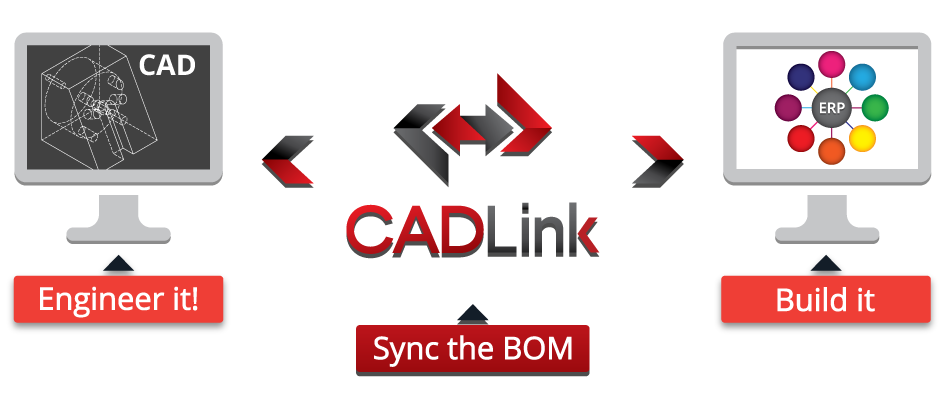
CADLink is a powerful CAD ERP link tool that allows your design engineers to concentrate on design work. Multiple data entry is saved through CADLink’s real-time CAD ERP link, allowing designers to access data inside ERP systems.
With CADLink, your engineering team can focus on what they do best: Engineering. Double and triple data entries are eliminated and engineering information is input into your CAD software and your ERP system in one simplified interface. Create new items in the item master simply by having CADLink pull the data from the CAD model, and push it to the ERP.
Free up engineering staff to do more engineering and reduce your engineering costs. The less time they spend inputting data across multiple platforms, the more time they can invest on projects and designs.
When entering data into two separate databases, there is a large possibility of discrepancies due to typos or mistakes. These are common when Engineers are tasked to fill multiple fields for every assembly, subassembly and part by hand. By unifying the data entry process, CADLink eliminates sources of error in transferring data between your CAD model and ERP system.
This is a potentially huge cost savings as a single mistake in the Bill of Materials can lead to ordering errors that result in scrap, excess inventory or late shipment of parts.
The CADLink Interface ensures that the information on the drawing, descriptions and revision is identical to the information in your ERP. Accurate information in drawings eliminates confusion and reduces errors on the shop floor arising from conflicting information between work orders, sales orders and drawings. This reduces scrap and saves engineering costs in clarification.
The Item Master contains important tombstone data such as part number, type, description, etc. The application will pull the information that exists in your ERP system and the model to populate the fields of the form. The designer will be able to modify the data on the interface form.
Pressing ‘Save’ will synchronize and update the data in both ERP system and in the CAD drawing/model.
Bill of material information is taken directly from the assembly model or drawing to populate the fields of the CAD ERP Interface form.The engineer will not be able to add or modify bill of material information without modifying the BOM in your CAD system. Thus in order to add a part, delete a part or change the quantity on the bill of material, that part must be added, deleted or have its quantity changed in SolidWorks first and then saved through the interface.This helps to ensure data integrity between the your CAD system and the ERP system.
Pressing ‘Save’ will update the information in the ERP database with the model information, including quantity, part number, etc.
CAD ERP Interface optionally provides a simple, convenient interface for adding and modifying ERP routing information. The routing information is pulled from ERP and the designer can make the necessary changes in the interface.
Pressing ‘Save’ updates the ERP system with any changes made by the designer.
The CAD ERP Interface system can include effectivity date information with the BOM. Using this option, companies can be sure to keep a clear history as well as a future instruction to production on the status of engineering bills of materials.
CAD ERP with Effectivity Dates ensures that your CAD BOM are never deleted they are only ‘zeroed’ using appropriate effective dates and quantities.
